
Using Motion Activated Lights for Feral Hogs: 2026 Guide
Table of Contents
- Sudden Brightness and Disturbances at the Feeder
- How Using Motion Activated Lights for Feral Hogs Actually Works
- Red vs Green Hog Hunting Lights: What the Difference Means in the Field
- 850nm Infrared for Hog Hunting With Night Vision
- Hog Feeder Light Setup: Mounting, Power, and Placement
- Standby Brightness, Motion Activation, and Noise
- Legal and Ethical Considerations for Night Hunting
- Conclusion
- Frequently Asked Questions
Last Updated: October 13, 2026
Sudden Brightness and Disturbances at the Feeder
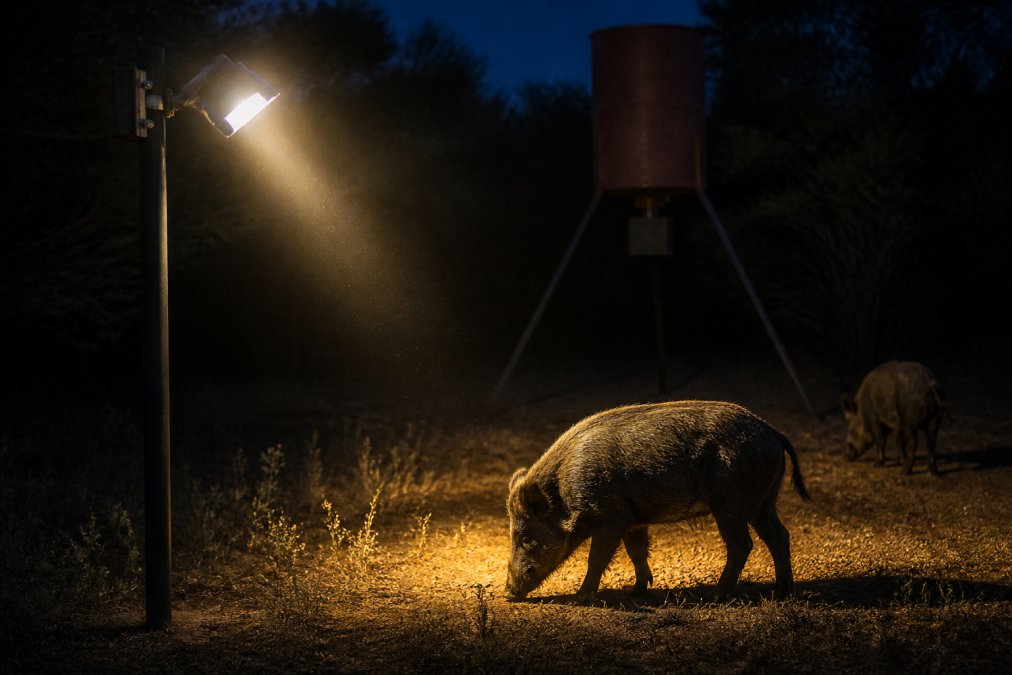
If hogs leave as a feeder light activates, inspect the lighting and the rest of the site before assigning a cause. An abrupt brightness change, nearby movement, noise, or other disturbances may be relevant. Controlled activation is worth checking, but no light guarantees that animals will remain at the feeder.
Observing Hogs When a Light Activates
A group of hogs at a feeder may leave together, but one encounter does not establish why. Watch when the light activates, how the beam falls, and what else is happening. Compare several visits rather than assuming that one animal or one lighting change always determines the response of the whole group.
How Using Motion Activated Lights for Feral Hogs Actually Works
A motion-activated feeder-light setup has three separate jobs: detect movement in the intended area, change illumination as designed, and provide a usable view through your optic. The HOGFADER Illuminator handles feeder illumination, while the HOGFADER Platinum adds a local Wi-Fi camera. Red and green versions fade up over 70 seconds from dim standby. The 850nm IR version changes intensity on motion detection for power conservation without that gradual fade.
Sensor Sensitivity, Trigger Distance, and Field of View
Treat sensitivity, detection distance, and coverage as characteristics to check, not three controls every light necessarily provides. Adjustment options depend on the model. Use the product instructions and test the installed detection area; do not assume HOGFADER has user-adjustable range or sensitivity controls unless documented for your unit.
- Sensitivity describes the threshold for detection. If the model provides a control, adjust it only as instructed and test for unwanted and missed activations.
- Detection distance depends on the sensor, installation, and conditions. Test likely approach paths rather than treating an advertised maximum as guaranteed coverage.
- Field of view is the detection area, which is separate from the light beam. Mount and aim the unit so detection and usable illumination serve the feeding area.
| Characteristic | What to Check | Practical Action |
|---|---|---|
| Sensitivity | Unwanted activations and missed detections | Use documented controls if provided; inspect the detection area |
| Trigger distance | Detection along likely approach paths | Test at the installed height and angle |
| Field of view | Coverage near the feeder and obstructions | Reposition or re-aim using the installation instructions |
Pro Tip
Test detection along likely approach paths and around the feed area. Confirm that a trigger produces useful illumination where you need it; sensor coverage and beam coverage are not necessarily the same.
Test detection along likely approach paths and around the feed area. Confirm that a trigger produces useful illumination where you need it; sensor coverage and beam coverage are not necessarily the same.
Red vs Green Hog Hunting Lights: What the Difference Means in the Field
Watch Out
Compare more than one visit, and record weather, activity, and equipment changes. A single encounter does not prove that color caused a response. Choose first for clear viewing through your optic.
Compare more than one visit, and record weather, activity, and equipment changes. A single encounter does not prove that color caused a response. Choose first for clear viewing through your optic.
The Illuminator and Platinum offer red and green for visible feeder illumination. Compare target detail, coverage, and glare through your actual optic at your intended distance. Neither should be treated as invisible to hogs, and neither guarantees a particular field response.
850nm Infrared for Hog Hunting With Night Vision
850nm infrared is a working illumination option for hog hunting with IR-sensitive night vision scopes and other compatible equipment. It supplies reflected near-infrared light for those devices; it does not make the feeder visible to your unaided eyes. Both Illuminator and Platinum offer an IR option.
A few things to keep straight:
- IR-assisted night vision is not thermal imaging. Thermal optics detect emitted thermal radiation and do not require an 850nm illuminator to form their image. A separate camera or visible viewing setup may have different needs.
- IR does not guarantee concealment. The visibility of an emitter or indicator lights is separate from the illuminated scene viewed through night vision. Do not assume every part of an IR setup goes unnoticed.
- Confirm wavelength compatibility. Check that your night vision device is sensitive to 850nm. Some devices can use ambient light; an external IR illuminator is not essential in every situation.
Hog Feeder Light Setup: Mounting, Power, and Placement
A good hog feeder light installation combines a secure mount, compatible power equipment, suitable beam placement, and access for maintenance. Test detection and viewing after installation, then check the setup again when weather or vegetation changes.
Mounting Options and Power Sources
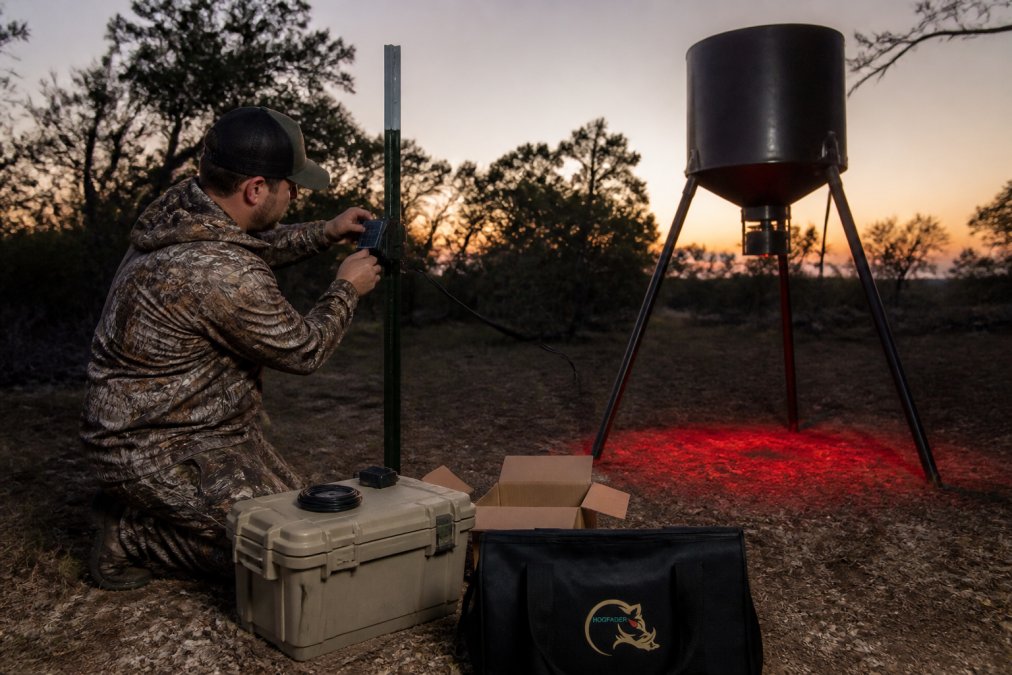
HOGFADER offers mounting options for feeders, tree trunks, T-posts, and fence posts. Use appropriate hardware and the installation instructions for your selected kit. A supported, stable mounting position matters more than using the same mount at every feeder.
- Feeder mount can keep the light near the feed area. Check that operation of the feeder does not shift the mount or obstruct detection.
- T-post clamp can provide a separate mounting point. Use a suitable height and clear vegetation that obstructs the sensor or beam.
- Tree trunk or branch mount requires a stable mounting surface and appropriate hardware. Place any solar panel where the canopy will not prevent adequate charging.
- Fence mount requires a secure attachment. Check for movement and protect wiring from livestock and wildlife.
Key Takeaway
Choose a supported mounting position that provides clear detection, useful beam coverage, and access for servicing. Check solar panel exposure separately from light placement.
Choose a supported mounting position that provides clear detection, useful beam coverage, and access for servicing. Check solar panel exposure separately from light placement.
Optional solar charging can support a remote installation, but check the current kit contents and compatible battery requirements. Include dim standby, sensing and control electronics, brighter activation periods, and Platinum camera operation in the power budget. Motion activation does not mean zero consumption between triggers; charging depends on sunlight, component compatibility, and battery condition.
Keeping Sensors Clean in Mud, Dust, and Weather
- Dust and grit can obstruct the sensor window or lens. A passive infrared (PIR) sensor receives changes in incoming infrared radiation; it does not project a detection beam. See Panasonic’s explanation of PIR sensing. This is general sensor information, not identification of the sensor model in your light.
- Mud splash from wallowing or rain hitting bare ground. Mud dries into a crust that can block the sensor window entirely.
- Spider webs and insect nests. Inspect for material blocking the sensor or lens, and remove it using the equipment cleaning instructions.
- Condensation inside the housing. Persistent internal fogging or visible moisture requires inspection. Contact support before opening a sealed enclosure or attempting internal repairs.
- UV and heat. Use the equipment within its specified environmental limits and inspect for cracking or discoloration. Do not assume a fixed housing lifespan.
Use a maintenance routine suited to the equipment and conditions:
- Wipe the sensor window and lens as directed by the manufacturer, using suitable materials. Avoid unapproved solvents or abrasive cleaning.
- Clear vegetation in a small radius around the sensor. Keep grass, weeds, and feeder hardware from obstructing detection or the beam.
- Check seals and gaskets where accessible without opening sealed equipment. Follow servicing instructions and contact support if damage is found.
- Inspect after storms. Hail, blowing dust, and heavy rain do the damage.
- Check orientation against the installation instructions. Aim the beam at the feeding area while keeping the sensor unobstructed.
Watch Out
Follow the published cleaning instructions. Avoid pressure-washing or opening sealed equipment unless the manufacturer explicitly permits it.
Follow the published cleaning instructions. Avoid pressure-washing or opening sealed equipment unless the manufacturer explicitly permits it.
The HOGFADER Platinum feeder light with Wi-Fi camera lets a nearby hunter connect a compatible phone to the unit’s Wi-Fi network for live viewing, photos, video recording, and media downloads. Local operation does not require cellular service or internet access. It does require usable Wi-Fi range; test the connection and nighttime image from your stand. This is local viewing, not internet access to the feeder from anywhere.
Standby Brightness, Motion Activation, and Noise
Separate brightness control from sound detection. HOGFADER’s documented motion activation is not a sound-triggered feature, and gradual illumination does not address every source of disturbance. Inspect loose mounts, feeder hardware, and other equipment that moves or rattles. Avoid assuming the motion sensor itself makes an audible click.
In this setup, dim standby and brighter motion-triggered operation are separate from automatic day/night control. Check each function during installation. The 70-second fade applies to red and green; IR changes intensity without that fade. Do not assume the unit measures sound, recognizes species, or automatically adjusts to weather unless those features are documented.
Legal and Ethical Considerations for Night Hunting
Verify current requirements for your location, land type, and hunting method before using a feeder light. Check the relevant wildlife agency and land manager, and confirm any applicable local restrictions. This equipment guide does not establish that night hunting, baiting, or artificial illumination is permitted at your site.
A Compliance Workflow Before You Set Up
Before hunting a new property, changing your equipment, or starting a new season:
- Pull the current regulations from your state wildlife agency’s website or printed guide. Rules change year to year; a copy from three seasons ago is not a source.
- Ask the appropriate agency or land manager about requirements that are unclear, including differences between public and private land. Check local restrictions with the relevant authority.
- Confirm landowner permission in writing in the form required for the property and jurisdiction. Keep documentation available where applicable.
- Check season, species, and method restrictions. Confirm the requirements for your exact location, land type, species, and method.
- Verify artificial-light rules specifically. This catches feeder-light users, because a light legal for one species or season may not be legal for another.
- Know your reporting and tagging requirements before you pull the trigger, not after.
What to Ask About Artificial Light
Ask the wildlife agency about the equipment and method you actually plan to use:
- Is artificial light permitted for the species and season you are hunting?
- Are there restrictions on light color, for example, is red or green treated differently from white?
- Are illuminated reticles, mounted lights, or weapon-mounted illuminators restricted separately from feeder-mounted lights?
- Are there rules about light visible from a public road or adjoining property?
- Does the answer change on public land, wildlife management areas, or land enrolled in a management program?
The Ethical Side
- Identify your target and what is behind it. Livestock, pets, and people share the same ground at night.
- Do not shoot toward roads, homes, or occupied structures, no matter what the regulations allow.
- Respect the landowner’s other users. A light that spills onto a neighbor’s property is a fast way to lose access.
- Follow up on every shot. If you cannot confirm a hit, take the time to look.
Pro Tip
Keep a screenshot or PDF of the current regulation page and the warden’s contact info on your phone. Saved guidance is useful for reference, but it does not replace applicable permits, permissions, or current requirements.
Keep a screenshot or PDF of the current regulation page and the warden’s contact info on your phone. Saved guidance is useful for reference, but it does not replace applicable permits, permissions, or current requirements.
HOGFADER’s red/green gradual activation is designed to avoid abrupt brightening at the feeder. That feature does not establish that an animal will remain still or that a shot is suitable. Check identification, surroundings, and current requirements before hunting.
Conclusion
Choose a motion-activated feeder light by the complete setup: detection, illumination, optic compatibility, mounting, and power. Start with the HOGFADER Illuminator for lighting without an integrated camera, or choose Platinum when nearby Wi-Fi viewing and recording are part of your plan. Select red or green for visible illumination, or 850nm IR for compatible IR-sensitive night vision, and test the installation before hunting.
Frequently Asked Questions
What color light can feral hogs not see?
Do not choose red or green on the assumption that it is invisible to hogs. Select visible illumination for the target detail you can see through your optic, and check coverage and activation. Limited color discrimination is not proof that an animal cannot detect an illuminated area. No color guarantees that hogs will remain at the feeder.
Do feral hogs get spooked by motion-activated lights?
They can respond to changes around a feeder, but a departure does not establish that the light or sensor caused it. HOGFADER red and green versions fade up over 70 seconds from dim standby when motion is detected, avoiding an immediate jump to brighter output. That feature is designed to reduce abrupt brightening, not guarantee calm animals. IR versions change intensity on motion detection without the red/green fade.
Can wild hogs see infrared light?
850nm IR illuminates a scene for IR-sensitive night vision equipment rather than unaided eyes. This guide does not establish a detection threshold for hogs or guarantee that an emitter or its indicator lights will go unnoticed. Both the Illuminator and Platinum offer 850nm IR. Confirm optic compatibility; thermal optics do not require that illumination to form their image.
Are motion-activated lights legal for night hunting in my area?
Check current wildlife-agency requirements and any applicable land-management or local rules for your property, species, and method. Ask specifically about night hunting, baiting, artificial light, and optical equipment. Confirm landowner permission and required licenses or permits before hunting; this equipment guide cannot determine legality at your location.